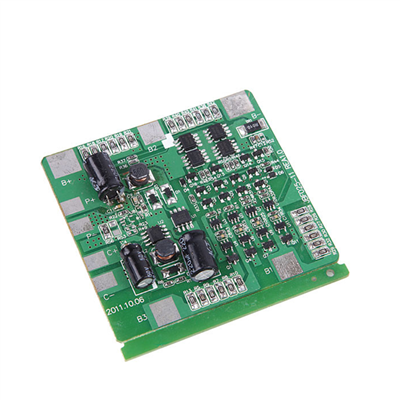

Hey there! As a supplier of Lithium Bms Systems, I've seen firsthand how important it is to understand the error codes that these systems throw our way. Error codes are like little messages from your BMS, telling you what's going wrong and how to fix it. In this blog post, I'll walk you through the process of interpreting these error codes, so you can keep your lithium battery systems running smoothly.
First off, let's talk about what a Lithium Bms System actually is. A Battery Management System (BMS) is an essential component in any lithium battery setup. It's responsible for monitoring and controlling the battery's charging and discharging processes, ensuring its safety, and extending its lifespan. You can check out more about Lithium Bms System on our website.
Now, when your BMS detects an issue, it'll display an error code. These codes are usually a combination of numbers and letters, and each one corresponds to a specific problem. The key to interpreting these codes is to have a good understanding of what each part of the code means.
Let's start with the common types of errors you might encounter. One of the most frequent issues is over - voltage. When a battery cell reaches a voltage higher than its safe limit, the BMS will detect this and display an over - voltage error code. This can happen if the charging process isn't properly regulated. For example, if you're using a charger that's not compatible with your battery pack, it might supply too much voltage, causing the cells to overcharge.
Another common error is under - voltage. This occurs when the voltage of a battery cell drops below a certain threshold. Under - voltage can lead to irreversible damage to the battery cells, so it's crucial to address this issue as soon as possible. It could be due to excessive discharging, a faulty battery cell, or a problem with the load connected to the battery.
Temperature errors are also quite common. Lithium batteries are sensitive to temperature, and if the temperature of the battery pack gets too high or too low, the BMS will flag it. Over - temperature can be caused by high - current charging or discharging, poor ventilation, or a problem with the cooling system. On the other hand, under - temperature can affect the battery's performance and efficiency.
So, how do you actually interpret these error codes? Well, the first step is to refer to the BMS user manual. Every BMS comes with a manual that contains a list of error codes and their meanings. It's like a dictionary for your BMS. If you've lost your manual, don't worry! You can usually find it on the manufacturer's website.
Let's say you see an error code on your BMS display. The first thing you should do is note down the code exactly as it appears. Then, look it up in the manual. The manual will tell you what the problem is, and it might also give you some suggestions on how to fix it.
For instance, if the error code indicates an over - voltage issue, the manual might recommend checking the charger settings or disconnecting the charger immediately to prevent further damage. If it's a temperature error, it could suggest improving the ventilation around the battery pack or adjusting the charging/discharging current.
Sometimes, the error code might be a bit more complex, and it could indicate multiple problems. In such cases, it's a good idea to break down the code into its components. Some BMS error codes are structured in a way that the first few digits represent the type of error (e.g., voltage, temperature), and the remaining digits provide more specific information about the problem.
Let's take a look at some real - world examples. Suppose you have a Lithium Battery Pack with Bms. You notice that the BMS is displaying an error code "OV03". By referring to the manual, you find out that "OV" stands for over - voltage, and "03" indicates that the over - voltage is occurring in cell number 3. Now you know exactly where the problem lies, and you can take appropriate action, like checking the connection of that particular cell or adjusting the charging parameters.
Another example could be an error code "UT01", where "UT" means under - temperature, and "01" might refer to a specific sensor or a section of the battery pack. This allows you to focus your troubleshooting efforts on the affected area.
If you're using a 1S BMS for Li - Polymer Battery, the error codes might be a bit different, but the general principles of interpretation remain the same. Always refer to the specific manual for your BMS model to get accurate information.


In addition to the basic error codes, some advanced BMS systems also have diagnostic features that can provide more detailed information. These systems might display error codes along with additional data, such as the exact voltage or temperature values at the time of the error. This extra information can be extremely helpful in pinpointing the root cause of the problem.
Once you've identified the problem using the error code, the next step is to fix it. In some cases, the solution might be as simple as adjusting a setting on the charger or disconnecting a faulty load. However, in more complex situations, you might need to replace a battery cell, repair the BMS itself, or consult a professional.
It's also important to keep in mind that regular maintenance and monitoring of your BMS can help prevent errors from occurring in the first place. Make sure to check the battery pack and the BMS regularly for any signs of damage or wear. Keep the battery pack clean and dry, and ensure that the ventilation is adequate.
In conclusion, interpreting the error codes of a Lithium Bms System is an essential skill for anyone using lithium battery systems. By understanding what each error code means and how to address the underlying problems, you can ensure the safety, performance, and longevity of your battery packs.
If you're in the market for a reliable Lithium Bms System or have any questions about error code interpretation, don't hesitate to reach out. We're here to help you make the most of your lithium battery solutions. Whether you're a hobbyist working on a small project or a business looking for a large - scale battery system, we've got the expertise and the products to meet your needs. Contact us to start a procurement discussion, and let's work together to find the best BMS solution for you.
References
- Manufacturer's manuals for Lithium Bms Systems
- Industry research on lithium battery technology and BMS operation